


ThemeKit - Themes & Widgets
4.64.25K Reviews
App Specs
- Version
- 20.7
- Updated On
- License
- Free
- Downloads
- 50,000,000+
- Developer
- ThemeKit
- Categories
- Personalization
- Platform
- Android, iOS
Screenshots
 Analysis by AppCompare
My first few sessions with a phone-customization app are usually all about novelty: I try a new look, admire it for a day, then forget where I saved the settings. With ThemeKit - Themes & Widgets, the more useful question is whether that initial burst of browsing can turn into a routine I actually want to keep. I found it works best when I treat it as a toolbox for small, deliberate changes, rather than a reason to rebuild my home screen every week.
A quick makeover, with room to experiment
ThemeKit is a free personalization app from ThemeKit, and its appeal is straightforward: it brings themes, icons, widgets, and wallpapers into one place so I can shape the look of my phone without starting from scratch. That all-in-one approach is handy when I want a coordinated change, but it is also useful for a smaller job, like finding a wallpaper that suits the icons I already use. I don’t have to commit to a complete redesign just to make the screen feel less stale.
The first-week appeal is easy to understand. I can browse, compare styles, and preview combinations before choosing one. That preview step matters more than it sounds: a wallpaper may look lovely on its own but compete with app labels or make the home screen feel busy. I’d use it to check the whole impression before applying a look, especially if I’m trying a bold background or a high-contrast icon style.
There is a practical limit to any visual refresh: the phone still needs to be quick to use. I’d keep the apps I open most often in familiar places and let the theme change the surroundings, not the muscle memory. That small choice makes a new setup feel personal without turning every ordinary task into a search.
What stays useful after the novelty
The lasting value depends less on how many designs I can browse and more on whether the pieces fit my everyday routine. A useful widget should answer a question at a glance; a decorative one that pushes the apps I need out of reach is a poor trade. I’d start with one or two that genuinely help, such as a calendar view for checking the day, and only add more if they make the screen clearer rather than busier.
That makes ThemeKit a better fit for people who enjoy tuning the look of their phone but don’t want to learn a complicated customization system. It can also suit someone who has a new device and wants a more personal home screen, or someone who likes a seasonal change without permanently committing to it. On the other hand, if the standard layout already feels comfortable and visual changes rarely matter to you, the browsing may be more entertaining than useful.
It helps to think of customization as occasional upkeep, not a daily project. I’d save a little time to settle on a look, then leave it alone long enough to see whether it works in real life. If I keep changing things because I’m still chasing the perfect arrangement, that is a sign to simplify: one coherent wallpaper and a useful widget can feel more polished than a screen crowded with matching extras.
Worth Reading Before You Choose

Baby Panda World Brings Quick Play to Modern Phones, but Its Game Library Feels Busy

ESPN’s Live Game View Makes Following Close Games Easier

QuizzLand Review: A Good Fit for Short Trivia Breaks, Not Every Player

Basketball Stars: Multiplayer Is Fast, but Can It Recover When Matches Go Wrong?

WEBTOON Turns Phone Updates Into a Better Reading Routine

Link to Windows Runs on Shared Habits, Not Social Feeds
Maintenance, compatibility, and small trade-offs
Personalization apps can involve more setup than their previews suggest. Applying a look may mean making choices across separate parts of the home screen, so I’d check each change before moving on and avoid replacing everything at once. Changing one element at a time makes it easier to spot what improves the phone and what only looked good in a preview. It also gives me a clear fallback if I decide I prefer my previous arrangement.
ThemeKit’s current version is 19.5, and it runs on Android 6.0 or later. The app is rated Teen, which is worth bearing in mind if you’re choosing apps for a younger family member. It is free to download, with optional in-app purchases ranging from $0.29 to $34.99 per item. I’d explore the free experience first and decide whether any paid item solves a specific need before spending; customization is most satisfying when the result, rather than the collection itself, is the point.
My practical advice is to check readability before settling on a design. Look at the home screen in the lighting and conditions where you normally use your phone, and make sure labels and important details remain easy to distinguish. A pretty preview is not enough if a wallpaper makes everyday navigation harder. I’d also avoid adding widgets simply because they match a theme: each one occupies space, and the best arrangement is the one that helps me reach what I use.
Who will keep coming back?
ThemeKit has a 4.7 average rating from around 625,000 ratings, and it has passed 50 million installs. Those figures suggest broad interest, but they don’t decide whether it belongs on my own phone. The more personal test is whether I enjoy the process of making small visual choices and whether the finished setup remains comfortable after the first few days. The app is strongest for people who answer yes to both.
Compared with changing a wallpaper through the phone’s built-in settings, a dedicated personalization app offers a broader set of coordinated choices in one browsing experience. Compared with a more hands-on launcher or manual icon setup, ThemeKit is a simpler route for someone who would rather select and preview than build every detail themselves. The trade-off is that people who want deep control over every screen element may prefer their device’s own tools or a more configurable launcher; a curated customization experience is not the same as unrestricted control.
Keeping a fresh look without making it a chore
Here’s a realistic way I’d use it during a busy week: on Sunday evening, I might pick a calmer wallpaper and a calendar widget, then leave my frequently used apps where they already are. On Monday, I’d judge the setup while checking the day’s plans and opening the apps I need, rather than deciding from the preview alone. If the widget saves a step and the screen stays readable, I’d keep it. If it distracts me or takes up room I need, I’d remove it instead of adding another piece to compensate.
That kind of trial is also a good answer to the question of whether I need to pay. I’d first see whether the free choices can produce a setup I’m happy to live with; an optional purchase makes sense only if a particular paid design is genuinely the missing piece. The listed purchase range is broad, so I would check the item and its price in the app before confirming anything rather than assume every extra costs the same.
Another useful habit is to take a mental snapshot of the parts that matter before changing the layout: where my key apps sit, what information I expect to see, and which colors help me read the screen. I don’t need to document every detail. Just knowing those priorities makes it easier to compare a new arrangement with my old one and roll back a change that looked attractive but made daily use less direct.
I’d also separate visual fatigue from a genuine problem. A theme can feel old simply because I’ve seen it for a while; that alone doesn’t mean I need a full replacement. Sometimes changing only the wallpaper is enough, while leaving useful widgets and familiar app positions untouched. This is where an app with several kinds of customization can be more convenient than repeatedly hunting through separate settings, but restraint still matters more than adding options.
When another approach makes more sense
If your main goal is only to change the background once and forget about it, your phone’s built-in wallpaper controls may be all you need. If you want to micromanage icon behavior, screen transitions, and layout rules, a configurable launcher is likely the better place to look. ThemeKit sits between those approaches: it makes visual experimentation approachable, but it is not a substitute for every deeper home-screen control a power user might want.
I would also skip it if I’m already satisfied with my layout or know I tend to spend too long comparing cosmetic options. The abundance that makes browsing enjoyable can become a source of indecision, and a polished theme cannot fix a home screen that is overloaded with apps or notifications. Starting with a practical goal—improve readability, see plans at a glance, or make the phone feel more like mine—keeps the process grounded.
For someone deciding whether to keep using it, I’d ask a simple question after the first few changes: does the phone feel easier or more pleasant to use, or am I opening the app just to browse? If the answer is the first, occasional visits can make sense when tastes change. If it is the second, there is no need to maintain a customization habit for its own sake. A good setup can stay good without constant attention.
Have you ever looked at your phone and thought, "I just need a change"? Well, that's exactly how I felt before stumbling upon ThemeKit - Themes & Widgets. It's one of those apps that promises to give your phone a fresh, new look without the hassle of complicated customizations. Let me take you on a quick tour of what this app brings to the table.
First Impressions and User Interface
As soon as I opened ThemeKit - Themes & Widgets, I was greeted with a sleek and intuitive interface. It's like walking into a well-organized store where everything is exactly where you expect it to be. The app is designed to be user-friendly, making it easy for anyone to navigate, even if you're not exactly tech-savvy. I found myself browsing through themes and widgets effortlessly.
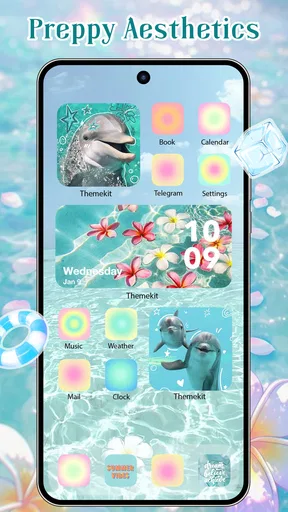
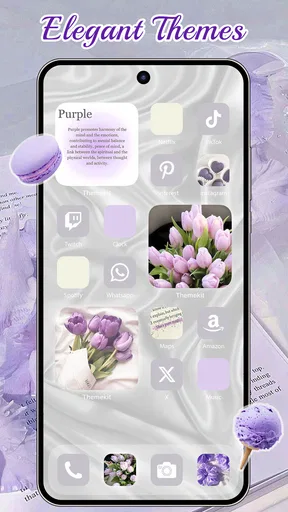
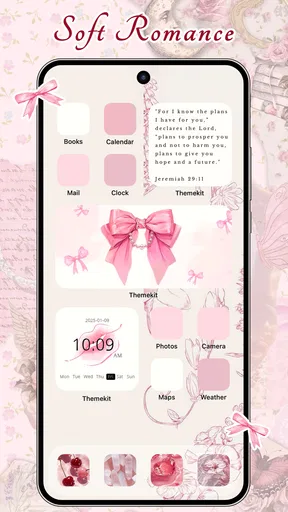
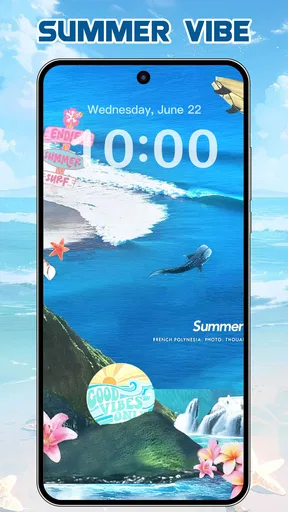
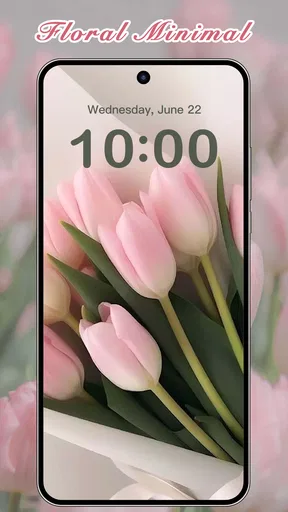
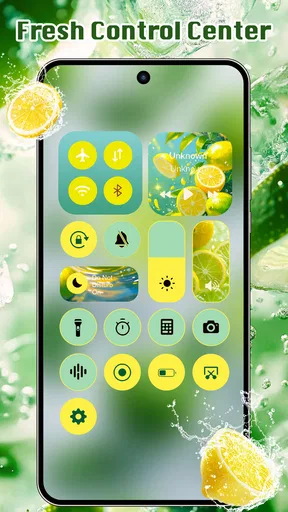
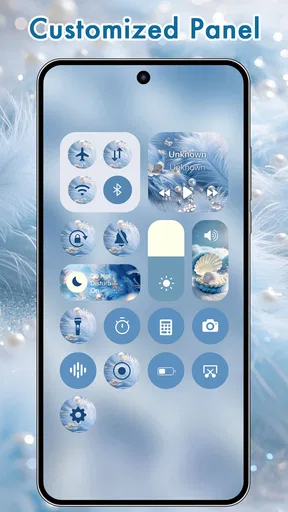
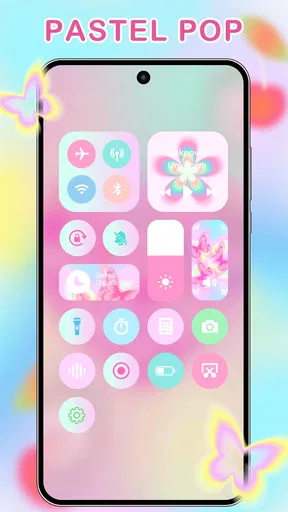
One thing that stood out immediately was the variety. Whether you're into minimalistic designs or something more vibrant and colorful, there's something here for everyone. The categories are clearly labeled, which makes hunting down the perfect theme a breeze. I felt like I was in a candy shop, with so many options to choose from!
Customization Galore
Now, let’s talk customization, because that’s where this app truly shines. ThemeKit offers a plethora of themes and widgets that you can mix and match to create a unique look for your phone. What's really cool is that you can preview how everything will look before applying it. This saved me from a few potential mismatches!
Customizing widgets is another area where the app excels. I spent a good chunk of time playing around with different styles and functions. Whether it’s weather updates, calendar events, or just a motivational quote to brighten your day, the widgets are both functional and stylish. Plus, the drag-and-drop feature makes arranging them on your home screen a piece of cake.
Performance and Functionality
One thing I was slightly worried about was how all these customizations would affect my phone's performance. Let’s be honest, nobody wants a sluggish phone. Thankfully, ThemeKit seems to be optimized to run smoothly even with all the bells and whistles. I didn’t notice any lag or stuttering, which was a huge relief.
The app itself is lightweight and doesn’t hog your phone’s resources. Even with multiple widgets running, my phone’s battery life remained steady. It’s always nice when an app delivers on its promises without any hidden drawbacks.
Community and Updates
Another aspect that makes ThemeKit stand out is its vibrant community. There’s a section where users can share their creations, and it’s a fantastic source of inspiration. I found myself browsing through other users' setups and getting ideas for my own phone’s look. This feature adds a social element that keeps the app fresh and engaging.
Regular updates also mean that new themes and widgets are constantly being added. The developers seem committed to keeping the app current, which is reassuring. It’s always nice to see an app that doesn’t become stale over time.
Final Thoughts
So, would I recommend ThemeKit? Absolutely. It’s an app that delivers exactly what it promises: easy and effective customization for your phone. Whether you’re looking to overhaul your entire interface or just add a few stylish widgets, it’s got you covered.
In a world where our phones are practically extensions of ourselves, it’s nice to have an app that lets you express your personality so effortlessly. ThemeKit is definitely worth checking out if you’re in the market for a little digital makeover.
Pros
- Customizable themes enhance phone aesthetics.
- Wide variety of widgets to choose from.
- User-friendly interface for easy navigation.
- Regular updates add new features.
- Minimal impact on device performance.
Cons
- Limited free options; most require purchase.
- Occasional bugs in theme application.
- Ads can interrupt the user experience.
- Some widgets may not fit all screen sizes.
- Requires frequent internet connection for updates.
FAQs for ThemeKit - Themes & Widgets
What is ThemeKit and how does it enhance my device?
ThemeKit is an app designed to customize and enhance the visual appearance of your Android or iOS device. It offers a wide range of themes, widgets, and icon packs that allow users to personalize their home screens and interfaces. By using ThemeKit, you can transform the look of your device to reflect your personal style and preferences.
Is ThemeKit compatible with all Android and iOS devices?
ThemeKit is compatible with most modern Android and iOS devices. However, some older models or devices with limited software capabilities may not support all features. It's always best to check the app's requirements on the download page to ensure your device is fully supported before installation.
Does using ThemeKit affect my device’s performance?
While ThemeKit is designed to be lightweight, using extensive themes and widgets may slightly impact your device's performance, especially on older devices. Users should monitor their device’s responsiveness and adjust settings within the app if they notice any lag or performance issues to maintain optimal functionality.
Are there in-app purchases or subscriptions in ThemeKit?
ThemeKit offers both free and premium content. While many themes and widgets are available for free, some premium options require in-app purchases or a subscription. Users can choose to access additional features and exclusive content by subscribing or purchasing individual themes and icon packs.
How do I customize my device using ThemeKit?
Customizing your device with ThemeKit is straightforward. After downloading the app, browse the available themes and widgets. Select your desired options and apply them directly to your home screen. The app provides easy-to-follow instructions to ensure even beginners can personalize their device effortlessly.


